The Osmo Coding Kit turns coding commands into physical pieces children can arrange and use with an iPad. This Osmo Coding Kit review looks at how its three apps, age range, and device requirements fit different families.
Osmo Coding Review Summary
The quick verdict
2,000+ ratings
Read Amazon ReviewsOsmo Coding Kit
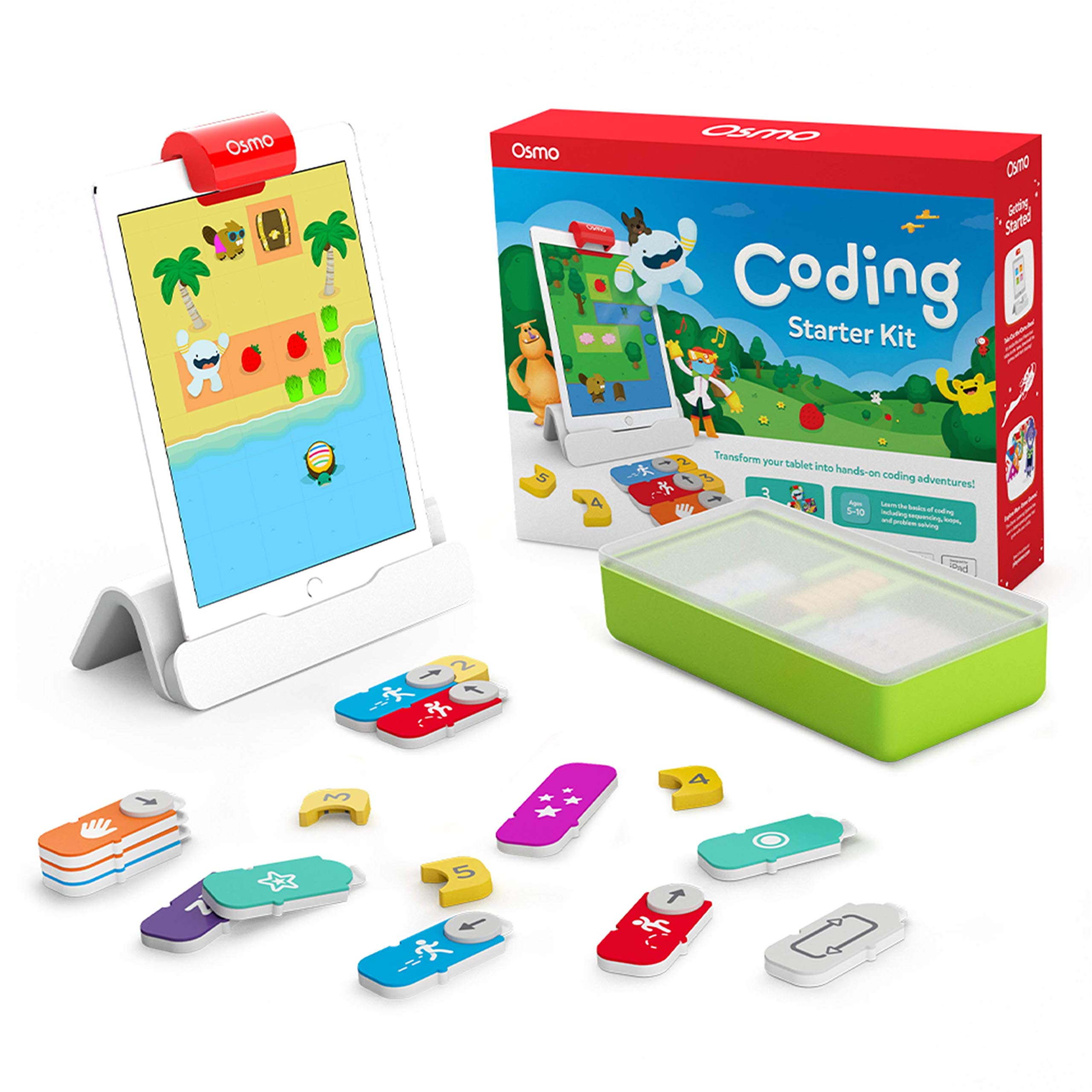
A hands-on coding set for children with a compatible iPad who enjoy puzzles, creative play, and learning through physical pieces.
- Includes the Osmo Base and adjustable reflector for iPad; an iPad is required and sold separately.
- Comes with 31 tangible coding blocks, including movement commands, numbers, repeats, and subroutines.
- Includes three apps: Coding Awbie, Coding Jam, and Coding Duo.
- Coding Awbie introduces coding commands through an adventure with the character Awbie.

Pros
- Physical command blocks make coding concepts tangible and adjustable during play.
- Three apps give children adventure, music, and puzzle-based ways to engage with coding.
Consider before buying
- An iPad is essential and is not included, so the kit is not a standalone toy.
- Compatibility depends on the iPad model and iOS version; buyers should check both before ordering.
Read the full review summary
The kit combines a Base and adjustable reflector with 31 coding blocks and three apps: Coding Awbie, Coding Jam, and Coding Duo.
Children use the blocks to guide a character, create music with patterns and loops, or solve coding puzzles alone or with others.
The hands-on format gives young learners a way to explore programming ideas by arranging commands and seeing how their choices affect play.
Its strongest fit is a household that already has a supported iPad and wants coding activities spanning beginner through more advanced puzzles.
The activities cover more than one style of play, but this is a focused coding set rather than a broad collection of math, spelling, and art games.
Check the iPad model and iOS version before buying; the iPad is required and sold separately.
The buying factors
Osmo Coding Scorecard
Editorial scores reflect listed features and buyer fit; they are not laboratory measurements or customer ratings.
Hands-on coding play
Physical blocks let children build and adjust command sequences as part of play.
Activity variety
The three apps approach coding through adventure, music creation, and puzzles.
Creative options
Coding Jam adds musical sounds, patterns, and loops to the coding activities.
Collaborative play
Coding Duo supports solving puzzles with others, while the other activities offer different play styles.
Age range flexibility
The games are designed for ages 5 and up and include beginner-to-expert levels.
Device flexibility
It supports a wide range of iPads, but requires a compatible iPad and does not include one.
Key Features and Specifications of Osmo Coding
- Includes the Osmo Base and adjustable reflector for iPad; an iPad is required and sold separately.
- Comes with 31 tangible coding blocks, including movement commands, numbers, repeats, and subroutines.
- Includes three apps: Coding Awbie, Coding Jam, and Coding Duo.
- Coding Awbie introduces coding commands through an adventure with the character Awbie.
- Coding Jam lets children make music using patterns, loops, and more than 300 musical sounds.
- Coding Duo offers more advanced side-by-side puzzles, with more than 60 puzzles and play for one or more participants.
- Supports a range of iPad models running iOS 15 or later; confirm the exact model against the compatibility list before purchase.
Pros and Cons of Osmo Coding
Pros
- Physical command blocks make coding concepts tangible and adjustable during play.
- Three apps give children adventure, music, and puzzle-based ways to engage with coding.
- The activities span beginner through expert levels, supporting different starting points.
- Coding Duo provides a cooperative option, while Coding Jam encourages music-making and experimentation.
Consider before buying
- An iPad is essential and is not included, so the kit is not a standalone toy.
- Compatibility depends on the iPad model and iOS version; buyers should check both before ordering.
- The kit is centered on coding, so families seeking a wider mix of math, spelling, and other subjects may prefer a broader learning set.
Who Should Buy Osmo Coding?
Good fit
Consider the Osmo Coding Kit if your child likes building, puzzles, or experimenting and you have a supported iPad available.
The 31 blocks provide a physical way to assemble commands, while the three apps let children apply them to an adventure, musical patterns, or structured puzzles.
It may also suit families looking for an activity that can start with introductory play and offer more challenging puzzles over time.
Coding Duo can be played solo or with others, giving the set some flexibility for independent and shared sessions.
Before choosing it, verify your iPad model and operating system against the compatibility details.
The Base and reflector are included, but the tablet is not, so the value of the set depends partly on whether you already have a suitable device.
Who should skip it
Skip this kit if you need an activity that works without an iPad, or if you do not have a model listed as supported.
Look for a broader learning set if your priority is a mix of subjects such as spelling, math, art, and physics rather than a coding-focused collection.
How the Osmo Coding Kit Fits Different Learners
Physical commands make ideas easier to manipulate
The blocks let children arrange commands by hand, then see how those choices affect the game.
That design can make experimentation feel concrete: a child can change a sequence and observe the result within the activity, rather than interacting only through on-screen controls.
Three apps offer distinct ways into coding
Coding Awbie frames commands as part of an adventure, Coding Jam connects them to musical patterns and loops, and Coding Duo presents side-by-side puzzles.
This variety gives families several styles of activity within one coding theme, though it does not turn the kit into a general-purpose subject bundle.
Difficulty and group play can vary
The games are described as spanning beginner to expert levels, and Coding Duo supports solo or shared puzzle solving.
That combination may help the kit suit different confidence levels and occasions, but families should choose activities based on a child's current interest and readiness rather than assuming every app will appeal equally.
The iPad is part of the purchase decision
The Base and adjustable reflector work with supported iPads running iOS 15 or later, while the tablet itself must be supplied separately.
Because compatibility is model-specific, check the listed generation before buying; device fit is a practical prerequisite for using the set.
Alternatives to Osmo Coding
One useful alternative is included because it offers a broader learning mix on a different supported tablet platform.
Electronic Learning & Education Toys alternative
700+ ratings
Read Amazon ReviewsOsmo Genius Kit
Choose the Osmo Coding Kit for a more focused coding experience on iPad.
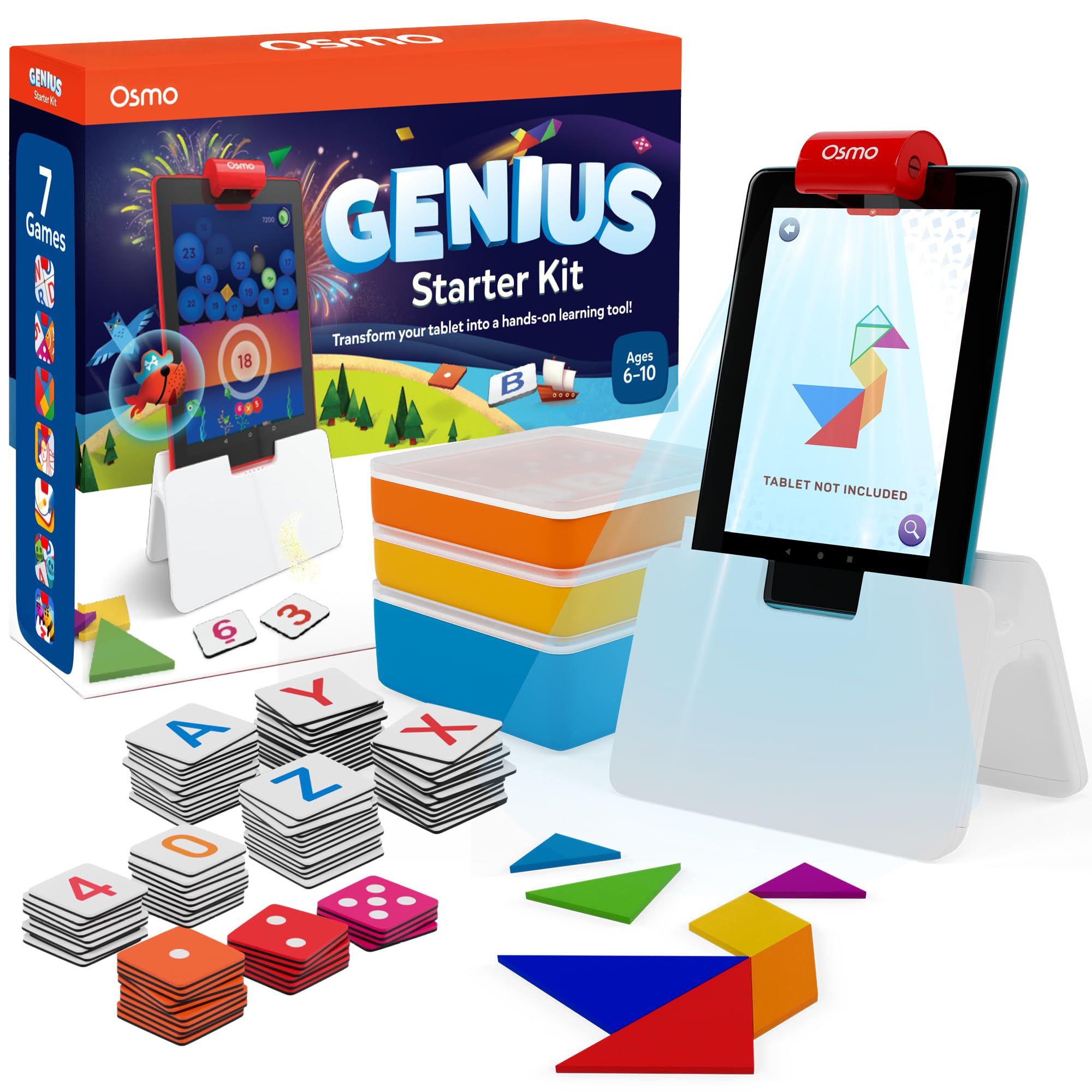
Consider the Osmo Genius Kit if a wider subject mix is the priority and you have a compatible Fire tablet; check its Fire model and reflector requirements before buying.
- The Osmo Genius Kit includes seven apps covering math, spelling, vocabulary, tangrams, drawing, and physics puzzles, and its base is designed for supported Fire tablets.
- The Osmo Coding Kit focuses on coding through three apps and 31 command blocks, and it requires a compatible iPad.
Is Osmo Coding Worth It?
The Osmo Coding Kit is worth considering for families with a compatible iPad who want coding play that combines physical blocks, puzzles, and creative music activities.
Its three apps give children several ways to explore commands, and the described range of levels offers room to move beyond introductory play.
Check device compatibility first and account for the separate iPad requirement.
If your goal is broader subject coverage or you do not have a supported iPad, the kit is a less suitable match; otherwise, it offers a focused, hands-on entry into coding concepts.
Your review at a glance
2,000+ ratings
Read Amazon ReviewsOsmo Coding Kit
A hands-on coding set for children with a compatible iPad who enjoy puzzles, creative play, and learning through physical pieces.
- Includes the Osmo Base and adjustable reflector for iPad; an iPad is required and sold separately.
- Comes with 31 tangible coding blocks, including movement commands, numbers, repeats, and subroutines.
- Includes three apps: Coding Awbie, Coding Jam, and Coding Duo.
- Coding Awbie introduces coding commands through an adventure with the character Awbie.